Results 1 to 27 of 27

Thread: Easiest way to transfer files?

  1. #1
    ///M :) wannab20hatch's Avatar
    Join Date
    Nov 2002
    Location
    Gainesville
    Age
    40
    Posts
    3,081
    Rep Power
    27

    Default Easiest way to transfer files?

    I ordered my new laptopand i plan to sell the old one so how do i transfer all my music,pics, and music to the new one? geek squad says they start at $259 and go from there. anyone got a better way? is a flash drive big enough?

  2. #2
    Im French! Frög's Avatar
    Join Date
    Feb 2006
    Location
    AMERICA FUCK YEAH
    Posts
    8,134
    Rep Power
    33

    Default


    Highly recommend..

  3. #3
    Mountain man green91's Avatar
    Join Date
    May 2003
    Location
    Dahlonega, Ga
    Posts
    8,975
    Rep Power
    46

    Default

    Set up file sharing over the network.

  4. #4
    ///M :) wannab20hatch's Avatar
    Join Date
    Nov 2002
    Location
    Gainesville
    Age
    40
    Posts
    3,081
    Rep Power
    27

    Default

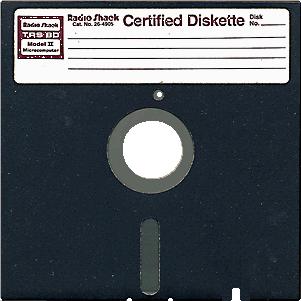
    in order to do the diskette id have to buy an external floppy drive and the disk only has 1.44 mb. i have over 600 songs. i dont think it would be enough.

    how do i do that chris? wanna do it for me? lol

    im computer illiterate

  5. #5
    Mountain man green91's Avatar
    Join Date
    May 2003
    Location
    Dahlonega, Ga
    Posts
    8,975
    Rep Power
    46

    Default

    As long as youve got wireless or ethernet its a piece of cake. Ethernet is preferable since its about 2x as fast as 802.11g wireless but either will get the job done

  6. #6
    ///M :) wannab20hatch's Avatar
    Join Date
    Nov 2002
    Location
    Gainesville
    Age
    40
    Posts
    3,081
    Rep Power
    27

    Default

    yeah we have 3g wireless here at the house. i was looking at like a 120gb external hard drive. would that be easier? their around 60 bucks. 1tb is just over $100

  7. #7
    Don't ya like clowns? Paul's Avatar
    Join Date
    Feb 2001
    Age
    45
    Posts
    29,970
    Rep Power
    1060

    Default

    having hardcopies is always best - go to newegg.com and buy a USB flash drive they have them up to like 64gb... you can get an 8gb for under 15$ or just burn everything to DVD/CD

    other option is if you are on a home network is to file share your folders where the data is contained; i'm assuming you are using windows so google windows file sharing (basically click on the folder choose sharing and set name/permissions)
    Paul "your bullshit makes the flowers grow"

  8. #8
    ///M :) wannab20hatch's Avatar
    Join Date
    Nov 2002
    Location
    Gainesville
    Age
    40
    Posts
    3,081
    Rep Power
    27

    Default

    i love newegg.com weve gotten 3 computers from them and never had a problem. excellent customer service. thats where i was looking for a cheap external hard drive at. i think im gonna go with this one
    http://www.newegg.com/Product/Produc...82E16822136227

  9. #9
    Mountain man green91's Avatar
    Join Date
    May 2003
    Location
    Dahlonega, Ga
    Posts
    8,975
    Rep Power
    46

    Default

    http://www.memorylabs.net/usexen1tb10s.html

    1tb USB sata 7200 rpm drive. $99

    I've ordered from these people in the past with no issues.

  10. #10
    ///M :) wannab20hatch's Avatar
    Join Date
    Nov 2002
    Location
    Gainesville
    Age
    40
    Posts
    3,081
    Rep Power
    27

    Default

    how do i tell what my computer can handle as far as upgrades? i kinda wish now i wouldve waited and researched before buying a new one. i found an amd processor for 56.99 and a 1tb internal hd for 104.99 from newegg.com. now i wish i wouldve just upgraded my old computer. it wouldve been cheaper and id still be running XP.

    Should i try to return my new one and upgrade the old or wait 3 months(warranty) and upgrade the new one?

  11. #11
    Mountain man green91's Avatar
    Join Date
    May 2003
    Location
    Dahlonega, Ga
    Posts
    8,975
    Rep Power
    46

    Default

    Who made it? Most of the time its easiest to get the model # of the mobo and see what the specs are, they will tell you max processor speed/fsb/socket & what memory types it supports.

  12. #12
    ///M :) wannab20hatch's Avatar
    Join Date
    Nov 2002
    Location
    Gainesville
    Age
    40
    Posts
    3,081
    Rep Power
    27

    Default

    its a compaq presario c304

  13. #13
    That T-Shirt Guy stillaneon's Avatar
    Join Date
    Sep 2006
    Location
    In the land of the slow cars
    Age
    39
    Posts
    7,114
    Rep Power
    33

    Default

    Quote Originally Posted by wannab20hatch
    in order to do the diskette id have to buy an external floppy drive and the disk only has 1.44 mb. i have over 600 songs. i dont think it would be enough.

    how do i do that chris? wanna do it for me? lol

    im computer illiterate

    600 songs is nothing.

    Go buy a 2 gig sd card and transferrer ($25) and just make 2 trips. I have 450 gig of music, or a little over 63000 songs, but I use a 1TB external hd
    I'm just that guy that spends all his time printing.... T-shirts, banners, vinyl, etc.

    "Speed has never killed anyone, suddenly becoming stationary.... that's what gets you"

  14. #14
    Certified Gearhead
    Join Date
    Feb 2009
    Posts
    172
    Rep Power
    17

    Default

    you could do it over the LAN and not have to buy anything.


    geek squad is completely ridiculous

  15. #15
    Im French! Frög's Avatar
    Join Date
    Feb 2006
    Location
    AMERICA FUCK YEAH
    Posts
    8,134
    Rep Power
    33

    Default

    Quote Originally Posted by wannab20hatch
    in order to do the diskette id have to buy an external floppy drive and the disk only has 1.44 mb. i have over 600 songs. i dont think it would be enough.
    Exactly

  16. #16
    ///M :) wannab20hatch's Avatar
    Join Date
    Nov 2002
    Location
    Gainesville
    Age
    40
    Posts
    3,081
    Rep Power
    27

    Default

    buying an external floppy drive to use once seems pretty impractical

  17. #17
    The Thread Reaper.. The Ninja's Avatar
    Join Date
    Mar 2006
    Location
    K-Town!
    Age
    36
    Posts
    7,655
    Rep Power
    31

    Default

    STOP THINKING AND JUST TRANSFER IT OVER YOUR WIRELESS NETWORK.


    You should have been posting about how you've already done it already and thanking the people who've suggested it. Its not terribly difficult, and if you find it so, I'll do it for you.... for $20.

  18. #18
    Im French! Frög's Avatar
    Join Date
    Feb 2006
    Location
    AMERICA FUCK YEAH
    Posts
    8,134
    Rep Power
    33

    Default

    Quote Originally Posted by wannab20hatch
    buying an external floppy drive to use once seems pretty impractical
    Exactly..

    Hint: sarcasm..

  19. #19
    ///M :) wannab20hatch's Avatar
    Join Date
    Nov 2002
    Location
    Gainesville
    Age
    40
    Posts
    3,081
    Rep Power
    27

    Default

    Gotcha

  20. #20
    IA Member
    Join Date
    Mar 2007
    Age
    35
    Posts
    73
    Rep Power
    0

    Default

    Well, if your new computer has a hard drive hook the old hard drive up as a secondary and just transfer the files. I'm sure a local mom and pop computer shop would do it for you pretty cheap. Don't ever get your computer worked on by geek squad, they are so expensive and un-knowledgeable(sp?).

  21. #21
    Mountain man green91's Avatar
    Join Date
    May 2003
    Location
    Dahlonega, Ga
    Posts
    8,975
    Rep Power
    46

    Default

    What if his new computer doesn't have a hard drive?


  22. #22
    bang Danny's Avatar
    Join Date
    Sep 2003
    Location
    Smyrna
    Age
    40
    Posts
    4,628
    Rep Power
    27

    Default

    Quote Originally Posted by green91
    What if his new computer doesn't have a hard drive?


    simple. just WiFi the WAN to SCSI drive, then dump all the files onto your GPU.


    "The 1911 is a collection of subsystems that must work together. Each part must be prepared and fit properly not only in and of itself, but also with regard to the other parts with which it must operate for the gun to function and appear as desired."

  23. #23
    IA Member
    Join Date
    Mar 2007
    Age
    35
    Posts
    73
    Rep Power
    0

    Default

    Sorry, didn't realize it was a laptop. Uhm, honestly you could always buy an external hard drive transfer the files there then return it when your done :P. They may charge 15% restocking though.

  24. #24
    Mountain man green91's Avatar
    Join Date
    May 2003
    Location
    Dahlonega, Ga
    Posts
    8,975
    Rep Power
    46

    Default

    Wow

  25. #25
    bang Danny's Avatar
    Join Date
    Sep 2003
    Location
    Smyrna
    Age
    40
    Posts
    4,628
    Rep Power
    27

    Default

    Quote Originally Posted by green91
    Wow
    this is getting kinda redunkulus huh?

    could of transferred half the intronetz by now
    "The 1911 is a collection of subsystems that must work together. Each part must be prepared and fit properly not only in and of itself, but also with regard to the other parts with which it must operate for the gun to function and appear as desired."

  26. #26
    Mountain man green91's Avatar
    Join Date
    May 2003
    Location
    Dahlonega, Ga
    Posts
    8,975
    Rep Power
    46

    Default

    Yes it is LOL.

  27. #27
    ///M :) wannab20hatch's Avatar
    Join Date
    Nov 2002
    Location
    Gainesville
    Age
    40
    Posts
    3,081
    Rep Power
    27

    Default

    i got a western digital my passport 320gb external HD and did all the work. firgured it wont hurt to have a portable HD with school and all. thanks for the help guys.

Posting Permissions

  • You may not post new threads
  • You may not post replies
  • You may not post attachments
  • You may not edit your posts
  •  
About us
ImportAtlanta is a community of gearheads and car enthusiasts. It does not matter what kind of car or bike you drive, IA is an open community for any gearhead. Whether you're looking for advice on a performance build or posting your wheels for sale, you're welcome here!
Announcement
Welcome back to ImportAtlanta. We are currently undergoing many changes, so please report any issues you encounter with the site using the 'Contact Us' button below. Thank you!